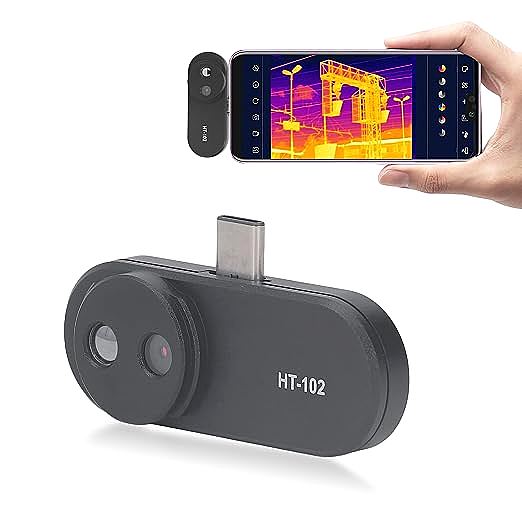
Beyond the Hype: What Can a Budget Smartphone Thermal Camera *Really* Do?
For the modern homeowner, the drive to be smarter, more efficient, and more self-reliant is a powerful one. We dream of finding those hidden energy leaks that inflate our heating bills, diagnosing a mysteriously hot gadget before it fails, and generally having a kind of superpower to see the invisible world of heat around us. It’s a compelling fantasy, and right on cue, a promising piece of technology appears: the sub-$200 smartphone thermal camera. It dangles the promise of thermal vision for the price of a fancy dinner, whispering of secrets revealed in vibrant color. But what happens when you take that promise out of the box and into the complex reality of your own home?
This isn’t a review of a single product. This is an investigation into a category. We’re going to take a typical, alluringly-priced thermal imager—one that might boast impressive specs in its title but hides a very different truth in its fine print—and put it through a day of common household detective work. Our goal is to answer the ultimate question for any discerning DIYer: is this a revolutionary tool for your toolbox, or just an expensive, frustrating toy?
First, A Cold Dose of Reality: What 32×32 Resolution Actually Looks Like
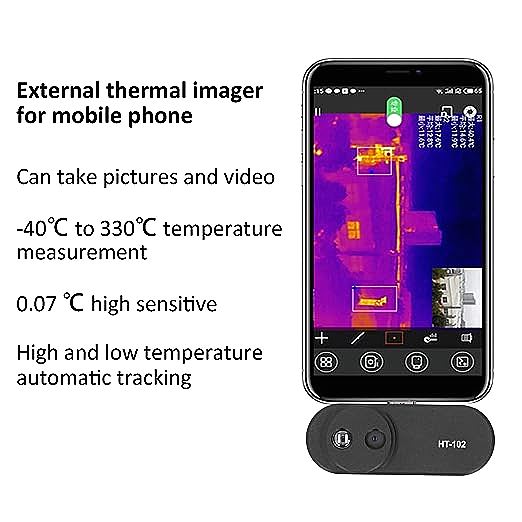
Before we even plug the device in, we must confront the elephant in the room: resolution. It’s the single most important specification for a thermal camera, and the most common source of confusion. Many budget imagers on online marketplaces feature titles screaming about “HD” or “640 x 480 Resolution.” Then, buried deep in the technical specifications, you find the number that truly matters: the native IR resolution. For a device in this price bracket, that number is often a shockingly low 32 x 32 pixels.
What does that mean? It means the thermal sensor, the heart of the camera, is a tiny grid of just 1,024 individual heat detectors. The larger, more impressive 640×480 number almost always refers to the standard visible-light camera built alongside the thermal one, used to provide context but not thermal detail. The thermal image itself is composed of just 1,024 data points. To put that in perspective, a true 640×480 thermal sensor has over 307,000 data points.
Trying to see a detailed thermal world through 1,024 giant, blurry squares of color is not just a small downgrade; it’s a fundamentally different, and profoundly limited, way of seeing. It is the difference between clear 20/20 vision and severe myopia. So, with our expectations now firmly adjusted for this blocky, impressionistic view of the world, let’s see what it can—and cannot—do.
A Day in the Life: Putting a Budget Imager to the Test
Morning Mission: The Great Draft Hunt
_The Myth:_ It will precisely pinpoint every crack and crevice where cold air is infiltrating my home, saving me hundreds on my energy bill.
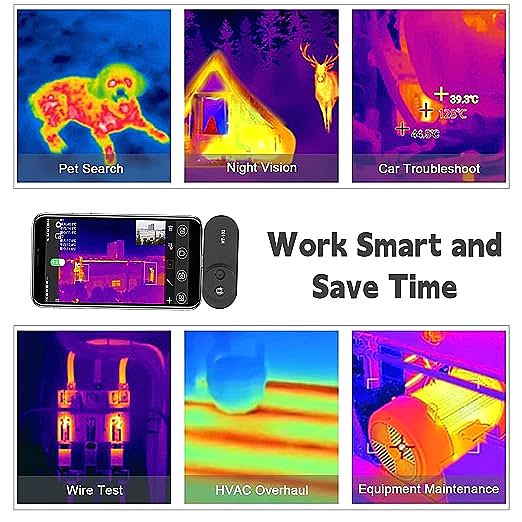
Our first task is a classic: finding drafts around a window on a cool morning. A professional thermal camera would show sharp, dark tendrils of cold air sneaking in around the seals, providing a clear roadmap for caulking. With our 32×32 imager, the result is… ambiguous. We can clearly see that the glass pane is a large, cool blue square, and the surrounding wall is a warmer green. Where a significant draft exists, like the bottom sash of the window not being fully sealed, a blob of darker blue does appear at the edge. But is it a specific leak point? Or just a general cold zone? The pixels are too large to tell. Trying to find a draft from a wall outlet is even less successful; the entire area is just a single, indecipherable square of color on the screen.
_The Reality:_ It can identify large, obvious temperature differences, like a poorly insulated wall or a window left ajar, but it completely lacks the detail to find small, specific leaks that are the most common culprits of energy loss.
Afternoon Mission: The Electronics Detective
_The Myth:_ It will help me diagnose an overheating component on my computer’s circuit board or find the faulty part in a power adapter.
Next, we turn our attention to a hardworking internet router that feels warm to the touch. A high-resolution thermal camera could reveal if the processor is running hotter than the memory, or if a specific voltage regulator is about to fail. Our budget imager shows us… a warm, orange rectangle. It expertly confirms our initial suspicion that the router is, indeed, warm. But that is the beginning and the end of its diagnostic capability. The entire device is covered by just a handful of chunky pixels, making it impossible to distinguish one chip from another. It’s like trying to perform surgery with a canoe paddle.
_The Reality:_ It can confirm if a device is powered on and generating heat, but it is functionally useless for any kind of detailed electronic diagnosis.
Evening Mission: The Hidden Pipe Puzzle
_The Myth:_ It will let me see the exact location of hot water pipes behind the drywall, like a form of X-ray vision.
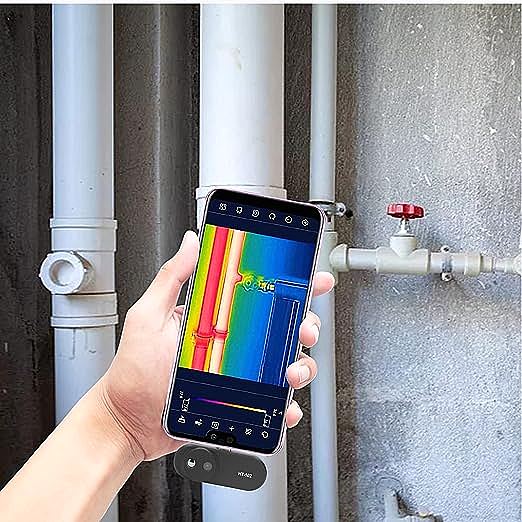
For our final test, we run the hot water in the bathroom for a minute and point the camera at the wall where we know the pipes are located. And here, we have a flicker of genuine, albeit limited, success. A blurry, wide, vertical band of yellow and orange appears on the screen, roughly corresponding to the pipe’s location. This is perhaps the most useful application we’ve found all day. Because the target is large and the temperature difference between the hot pipe and the cool wall is significant, the 1,024 pixels are just enough to register its presence. However, it can’t tell us the pipe’s precise diameter or depth, and it certainly couldn’t detect a small, slow leak.
_The Reality:_ For large, high-contrast thermal objects like active hot water pipes very close to a surface, it can give you a rough, approximate location.
The Verdict: A Blurry Glimpse, Not a Clear Diagnosis
After a full day of squinting at colorful blobs, a clear picture finally emerges—not on the camera’s screen, but in our understanding of its place in the world. This level of thermal vision has a starkly defined set of limitations.
| What a Budget (32×32) Imager _Might_ Do | What It Absolutely _Cannot_ Do |
|---|---|
| Confirm your HVAC vents are blowing hot/cold air. | Perform any kind of professional or semi-pro energy audit. |
| Check if all sections of a radiator are heating up. | Diagnose specific electronic components. |
| Get a rough idea of where a hot water pipe is in a wall. | Find small water leaks or subtle moisture issues. |
| See if a circuit breaker is significantly warmer than others. | Provide an accurate temperature reading of a small or reflective object. |
Conclusion: Is It Worth It For You?
So, is the sub-$200 thermal imager a useless gimmick? Not entirely, but its marketing is dangerously close to fiction. It is not a magic wand for home repair. It is a tool of extremely limited application. Its 32×32 resolution is a profound handicap, reducing the rich, detailed world of heat into a coarse, almost abstract painting.
If you are a tech enthusiast who wants a toy to visualize the thermal world in the broadest possible strokes, and you fully understand these limitations, it might provide some entertainment. But if you are a homeowner hoping to solve real problems, diagnose stubborn issues, and make informed repairs, this is not the tool for the job. You will spend more time guessing what the colored blocks mean than actually fixing the problem, which can lead to frustration and even incorrect conclusions.
In this case, the wisest financial and practical move is to save your money. The gap between these ultra-budget imagers and the entry-level offerings from established brands (like the FLIR ONE series or Seek Thermal Compact, which offer resolutions of 80×60 or higher) is not just an incremental step; it’s the difference between a frustrating toy and a functional tool. Those extra pixels aren’t a luxury; they are the price of admission to see the world with any meaningful clarity.